


Evoto-AI Photo Editor&Retouch
4.833.00 Reviews
App Specs
- Version
- 3.2.1
- Updated On
- License
- Free
- Downloads
- 100,000+
- Developer
- TRUESIGHT PTE. LTD.
- Categories
- Photography
- Platform
- Android
Screenshots
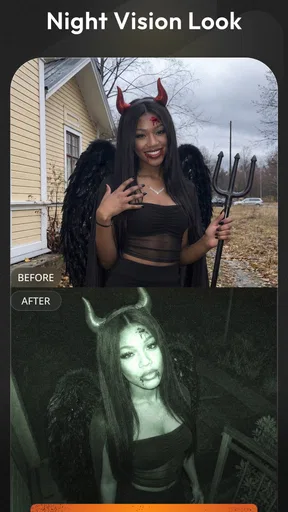
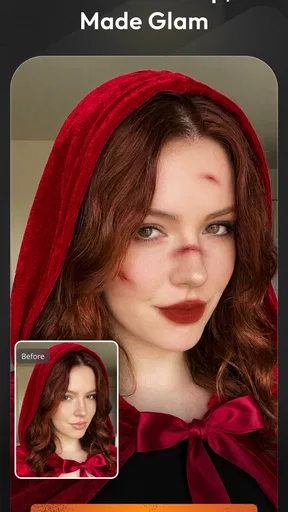
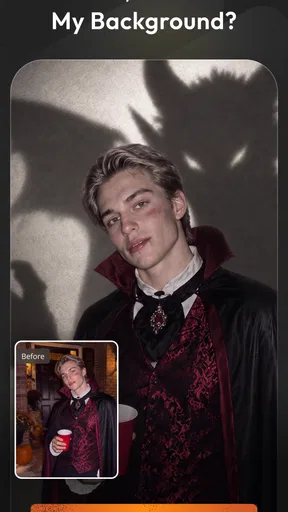
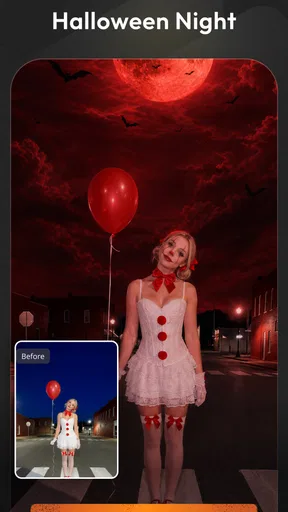
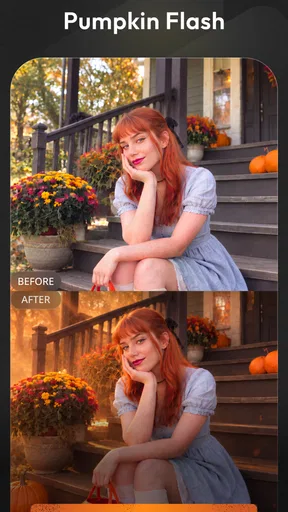
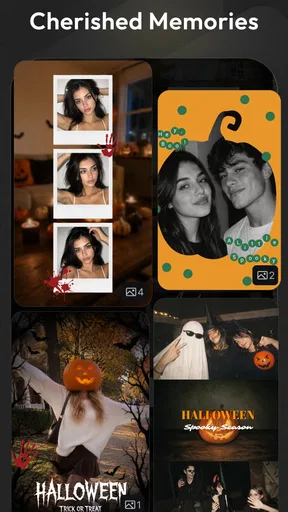
 Analysis by AppCompare
The first thing I look for in a photo editor is whether it can fix a problem without making the picture look oddly artificial. In Evoto-AI Photo Editor&Retouch, the most compelling idea is AI-assisted background removal and retouching: it aims to separate a subject from its surroundings and make portrait clean-up less laborious. That combination can be genuinely useful when a photo is almost right but a distracting background or small blemish keeps it from being ready to share.
I would not treat automatic editing as a substitute for taste. A clean cutout can still look misplaced, and a heavily retouched face may stop looking like the person in the photo. The real value is having a faster starting point, then deciding how much change feels natural. For me, that makes this a practical photography app to try when I want a focused edit rather than a full desktop-style workflow.
What background removal changes
Removing a background is more than deleting everything behind a person. Hair, loose clothing, and other uneven edges make the boundary between subject and setting difficult to judge. AI can take on much of that separation, saving the tedious first pass that often makes manual selection feel like work. It is especially appealing for portraits, profile images, and simple product-style shots where the subject needs to stand out.
The benefit is not that every cutout will be perfect. Busy scenes, similar colors between a subject and the background, or fine details can make the result harder to judge. I would zoom in around the outline before using an edited image anywhere prominent. If the edge looks convincing at normal size but strange close up, a more restrained crop or a different original photo may produce a better result than trying to force a difficult selection.
A sensible portrait workflow
For a quick portrait, I would start with a well-lit photo where the person is clearly separated from the background. I would use the background-removal option first, inspect the edges, and then move on to any retouching. Keeping those steps separate makes it easier to spot whether an unnatural look comes from the cutout or from changes to the face. A light touch usually keeps the final image more believable.
That order also helps when the photo is intended for a particular purpose. A tidy profile image may need a cleaner backdrop but very little skin editing, while a casual picture for friends might be better with the original setting preserved. Before saving or sharing, I would compare the edited result with the source image and ask whether the change improves the photo or merely makes it look more processed.
Getting Started with Evoto-AI
Jumping into Evoto-AI Photo Editor&Retouch is like stepping into a wonderland of editing features. The app greets you with a sleek and user-friendly interface that’s as inviting as a cozy coffee shop on a rainy day. You don’t need to fumble around with tutorials or manuals. Everything is intuitive, which is a huge plus for those of us who want to dive right into the creative process.
Worth Reading Before You Choose

Baby Panda World Brings Quick Play to Modern Phones, but Its Game Library Feels Busy

ESPN’s Live Game View Makes Following Close Games Easier

QuizzLand Review: A Good Fit for Short Trivia Breaks, Not Every Player

Basketball Stars: Multiplayer Is Fast, but Can It Recover When Matches Go Wrong?

WEBTOON Turns Phone Updates Into a Better Reading Routine

Link to Windows Runs on Shared Habits, Not Social Feeds
Features That Shine
One of the things that caught my attention right off the bat is the AI-driven tools. It’s like having a tiny robot assistant working alongside you. Whether you’re looking to enhance your photo’s brightness or want to add a splash of vibrancy, the AI tools make it ridiculously easy. Just select your preference, and watch the magic happen.
The app also offers a plethora of retouching options. From blemish removal to skin smoothing, you can touch up those selfies in seconds. And if you’re feeling adventurous, there are filters galore to give your photos that Instagram-worthy polish. Each filter can be adjusted to your liking, giving you full control over the final look.
Customization and Creativity
What I really love about Evoto-AI is the level of customization it offers. It’s not just about slapping a filter on your photo and calling it a day. You can play around with contrast, saturation, and exposure to your heart's content. It’s kind of like having a sandbox where your creativity can run wild.
For those who are into the nitty-gritty details, the app allows you to make precise adjustments with its advanced editing tools. You can even work with layers, which is a feature usually reserved for more advanced software. It’s a treat for any budding photographer or seasoned pro looking for quick edits on the go.
Performance and Accessibility
Performance-wise, Evoto-AI runs smoothly on both Android and iOS. I didn’t experience any lag or crashes, which is a huge relief. Editing a high-resolution photo is as seamless as butter, and the app doesn’t drain your battery like some other heavy-duty editors out there.
Accessibility is also a strong suit. The app’s layout is clean and devoid of clutter, making navigation a breeze. Plus, it supports a variety of languages, so you’re not restricted to just English. It’s inclusive and considerate, something I always appreciate in an app.
A Few Things to Keep in Mind
Now, let’s talk about the stuff that’s less than perfect. While Evoto-AI is packed with features, some of the more advanced tools require a subscription. It’s a common practice these days, but if you’re on a budget, it’s worth considering. However, the free version still offers plenty of tools to keep you busy, so you’re not missing out too much if you decide to stick with the basics.
Another thing to note is the occasional pop-up asking you to review the app. It’s a minor annoyance, but when you’re in the zone, those interruptions can be a tad distracting.
Where it fits in my editing routine
I think this editor makes most sense when I have one photo with a clear, specific problem: a portrait that needs a cleaner background, or a small retouch before I send it to someone. It is less compelling as the center of a large photo library workflow. If I am sorting, tagging, and comparing lots of images, I would rather start in a gallery or desktop editor designed around managing a collection, then bring only the selected shot here for a focused finish.
That distinction matters because AI editing can encourage me to keep adjusting simply because more controls are available. I get a better result by deciding what the image needs before I open the tools. For a professional profile picture, that might mean removing a busy setting and leaving skin texture alone. For a product listing, it might mean cleaning the background while checking that the object’s outline and color still look true. Setting that boundary helps the edit serve the photo rather than become the point of it.
A practical everyday example
Imagine taking a quick head-and-shoulders photo at home before a video call or a job application. The lighting is acceptable, but a doorway or clutter behind you pulls attention away. I would try a background cutout, check the hair and shoulder edges, and then make only a subtle tonal adjustment if the face looks too dim. If the edge is ragged or the lighting makes the subject blend into the wall, I would choose another photo instead of spending time polishing a weak source image.
This is also where restraint matters more than a dramatic filter. A natural-looking edit is easier to reuse across a work profile, a messaging account, or a small bio image. I would keep an untouched copy of the original and compare both versions at the size people will actually see. A tiny edge flaw may be invisible in a small avatar but obvious in a larger crop, so the intended destination should guide how much effort I put into cleanup.
How it compares with familiar alternatives
Compared with a basic phone editor, the appeal here is the more focused combination of AI separation and portrait retouching. A standard editor may be enough for cropping, exposure, and a quick color correction, and it can be the better choice when the background is already fine. Evoto-AI is more attractive when separating the subject is the main task and I want to continue refining the image in the same editing session.
Against a full desktop photo editor, the trade-off is convenience versus fine control. Desktop tools are often more comfortable for careful masking, repeated revisions, and work that needs close inspection on a larger screen. I would not choose a mobile portrait editor as my only tool for intricate commercial composites or a batch of images that must match precisely. For one-off social photos and quick profile updates, though, a phone-first workflow can save time and avoid a more involved setup.
Who should try it, and who may not need it
I would recommend giving this photography app a try if portraits are a regular part of your camera roll and you want an accessible way to clean up a setting or make modest retouches. It may also suit someone who occasionally prepares a profile picture, a creator making a simple portrait post, or a small seller who needs a subject to read clearly against its surroundings. The free option makes it possible to explore before deciding whether paid tools are worth considering; in-app purchases range from $3.69 to $89.00 per item, so I would check the specific offer before committing.
It is a weaker fit if you mainly edit landscapes, want straightforward cropping and color adjustments, or prefer to keep every portrait completely untouched. People doing demanding professional retouching may also prefer software with a more deliberate masking workflow and a larger working canvas. Evoto-AI is for convenience, not a promise that every difficult photo can be rescued. Its age rating is Everyone, and the app is free to install, but that does not mean every editing tool is necessarily included without a purchase.
What to check before relying on it
If you are deciding whether to make it part of your routine, first try it on a photo that is useful but not irreplaceable. Look closely at hair, glasses, sleeves, and any object held near the body; these are the places where a background boundary can look less convincing. Then test a second image with a simpler setting. That comparison tells you whether the result is a good match for your kind of photography, rather than judging the app from one unusually easy or unusually difficult picture.
I would also treat the free-to-paid boundary as something to check while choosing a tool, not after finishing an edit. The app is free, while optional in-app purchases are listed from $3.69 to $89.00 per item. If a particular adjustment is central to your plan, confirm its availability in the app before building a workflow around it. The current version is 2.6.0, and the minimum operating-system requirement is version 9, so it is worth checking that your device meets that baseline before installing.
For people comparing alternatives, a useful question is not simply which editor has the longest tool list. Ask how often you actually need a clean portrait cutout, whether you are comfortable making a few visual checks yourself, and whether a phone screen is enough for the work you have in mind. If those answers point toward occasional portrait cleanup, a specialized mobile app can be more convenient than opening a broader editor. If they point toward precise edge work or consistent edits across many files, I would look elsewhere.
A measured recommendation
Evoto-AI Photo Editor&Retouch is a photography app from TRUESIGHT PTE. LTD. that has drawn a 4.6 average from over 850 ratings, with more than 100,000 installs. Those figures suggest that many people have tried it, but I would still judge it by how it handles the images I actually take. A background that is easy to separate can make the app feel impressively efficient; a complicated outline is a reminder to inspect, adjust expectations, or use another picture.
For me, its strongest case is a quick portrait edit where automatic background removal gives me a useful head start and retouching remains under my control. I would not rely on it to replace every editor or to turn a poor photo into a flawless one. If you want practical portrait cleanup on a phone and are willing to review the result instead of accepting every AI choice blindly, it is worth trying. If your edits are mostly landscapes, detailed composites, or untouched documentary images, a simpler or more specialized alternative may fit better.
Final Thoughts
All in all, Evoto-AI Photo Editor&Retouch is a fantastic app for anyone looking to enhance their photo editing game without too much fuss. Its blend of AI power and manual control makes it versatile enough for everyone from casual users to photography enthusiasts. If you’re on the hunt for an app that offers both simplicity and depth, give Evoto-AI a whirl. It might just be the photo editing companion you didn’t know you needed.
Pros
- Intuitive user interface for easy navigation.
- Wide range of AI-enhanced editing tools.
- High-quality output with minimal effort.
- Seamless integration with social media.
- Frequent updates with new features.
Cons
- Limited free features
- many require purchase.
- Occasional lag on older devices.
- No offline editing capabilities.
- Subscription model might be pricey.
- Learning curve for advanced tools.
FAQs for Evoto-AI Photo Editor&Retouch
What features does Evoto-AI Photo Editor & Retouch offer?
Evoto-AI Photo Editor & Retouch provides a range of powerful features including AI-driven editing tools, automatic retouching options, and a variety of filters and effects. The app also offers manual editing capabilities for more precise adjustments, catering to both beginners and advanced users who want to enhance their photos effortlessly.
Is Evoto-AI Photo Editor & Retouch user-friendly for beginners?
Yes, Evoto-AI Photo Editor & Retouch is designed with a user-friendly interface that makes it easy for beginners to navigate. The AI features simplify the editing process by automatically enhancing photos, while tutorials and tips help new users make the most out of its powerful tools without a steep learning curve.
Are there any subscription fees for Evoto-AI Photo Editor & Retouch?
Evoto-AI offers a free version with basic features, but to access advanced tools and remove ads, a subscription is required. The subscription model typically includes monthly and yearly plans, providing flexibility for users who want premium features. It’s advisable to check the latest pricing details within the app.
Does Evoto-AI Photo Editor & Retouch work offline?
While some basic editing features are available offline, many of Evoto-AI’s advanced tools and AI-powered functions require an internet connection to function properly. This is because the app processes some edits on its server to ensure high-quality results. Therefore, for optimal use, an internet connection is recommended.
How does Evoto-AI Photo Editor & Retouch ensure user privacy?
Evoto-AI Photo Editor & Retouch prioritizes user privacy by implementing robust security measures to protect personal data. The app only processes images for editing purposes and does not store or share your photos without consent. It’s important to review their privacy policy for detailed information on data handling practices.


